Users Edition
User editing consists of modifying a user's profile information or roles.
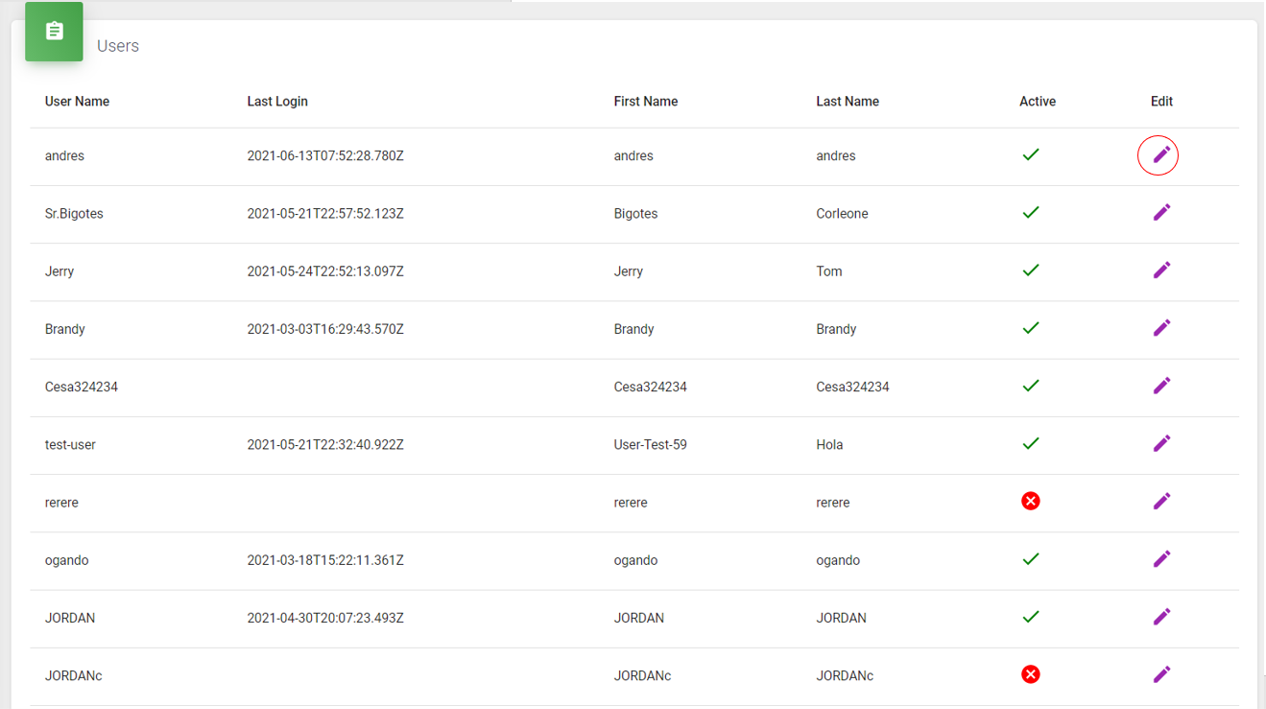
To modify profile information, simply access the supervisor account, go to the users section, and click on the pencil icon, as shown in the following screen:
After entering the edit section, the following interface will be displayed:
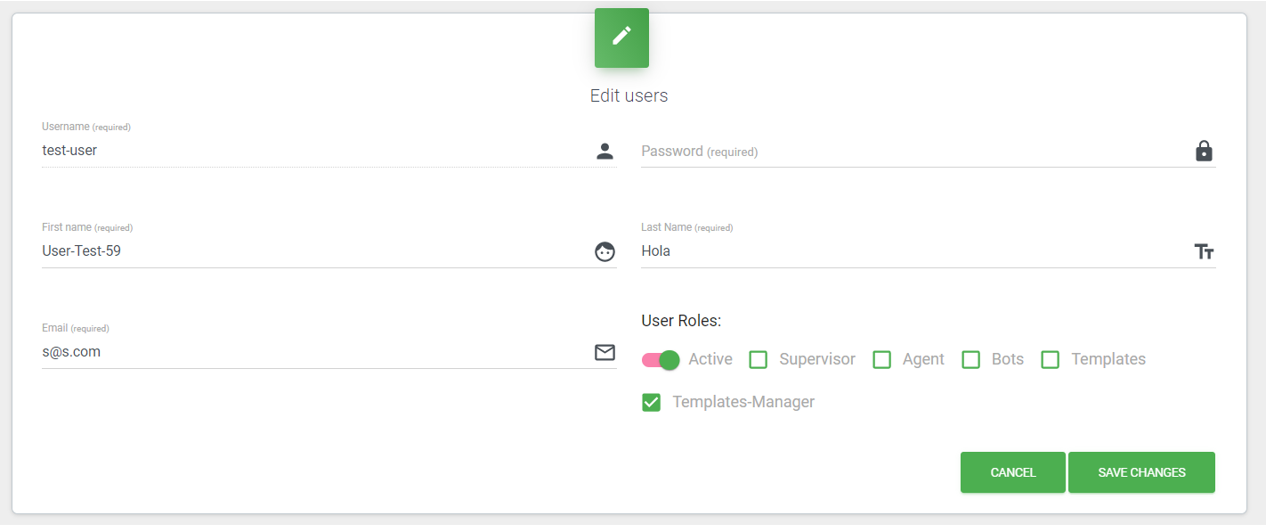
On this screen, you can change different roles, password, first name, last name, and also activate or deactivate users if they are not being used.
Save Changes
To save the new changes.
Cancel
To discard the changes made.