HSM List
HSM List
This section explains how to send HSM templates to users. To send a template using this functionality, the template must have been previously approved by an administrative user.
HSM templates must contain a CSV ("Comma-separated values") file for sending. This file must include as a header the variables that have been created or linked to the template.
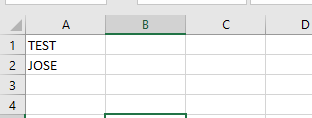
The format of the CSV file would look as follows, where the variable "TEST" has the value "JOSE":
Sending Templates
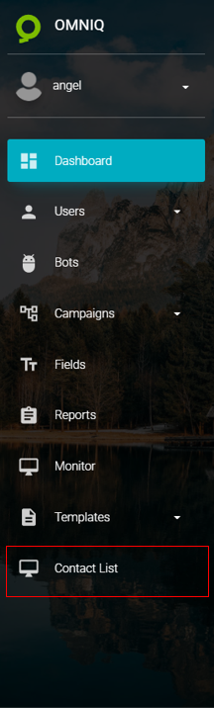
To send a template, go to Contact List by clicking on the following icon:
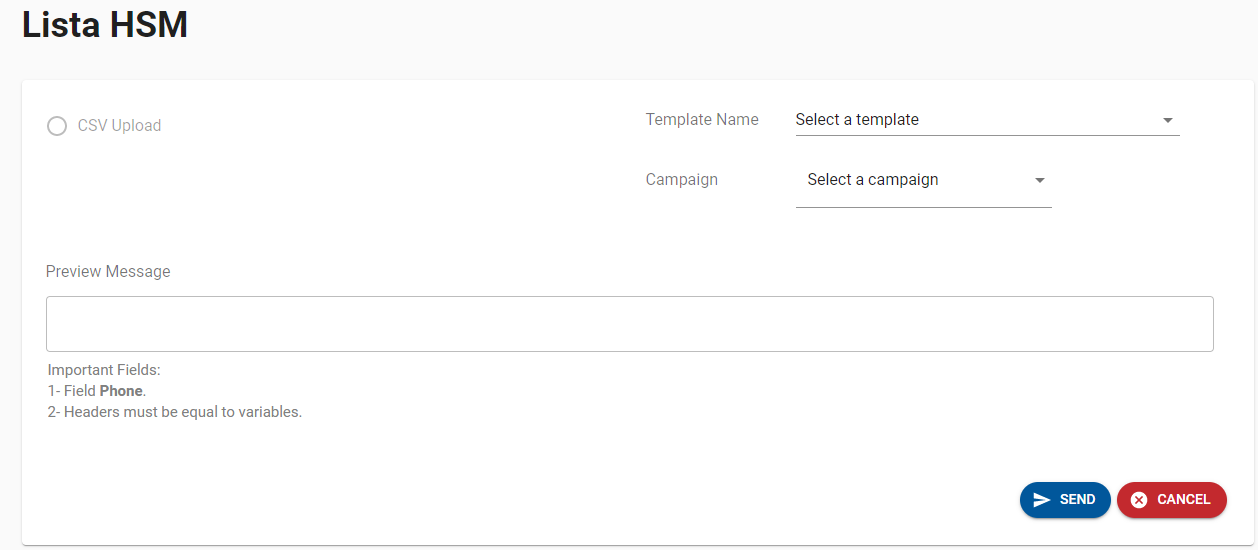
Once in the Contact List section, the following screen will appear, requesting the necessary information to send the template:
Field Definitions
Template Name:Name of the previously approved template to be sent.
Campaign:Campaign associated with the phone number through which messages will be sent to customers.
CSV:This file must contain all the phone numbers to be contacted through bulk messaging and must include the following:
- A field with the header name "Phone" corresponding to the phone numbers of the users who will receive the message.
- The Template's Variable Fields. The file must have an additional column for each variable, and the column must have the same name as the variable.
A preview of the first message in the list will be displayed so you can see the final message customers will receive.
CSV Preview:The page will load the records from the submitted file to display the records to be processed.
Once all the required information has been entered and loaded, the screen will look as follows:
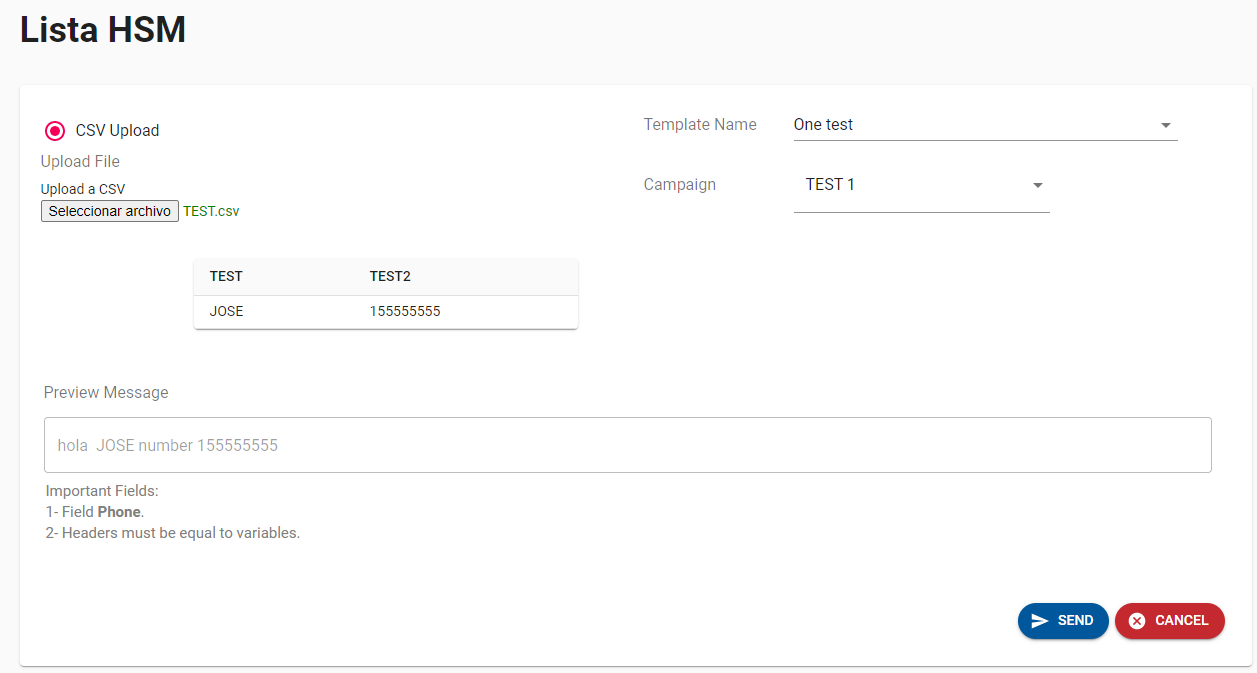
To finalize the message delivery to customers, click the "SEND" button at the bottom right corner, which will prompt a final confirmation.

Once the send button is clicked, all messages will be sent.